Leyloon Atelier · Engagement ring finder
Find your engagement ring style, one detail at a time
Start with one detail you love. Choose the parts that matter, then see two custom or personalized engagement ring directions you can shape with Leyloon at your own pace.
Your preview is a beginning. When one direction feels right, Leyloon can review it and prepare a written quote. You decide what comes next.
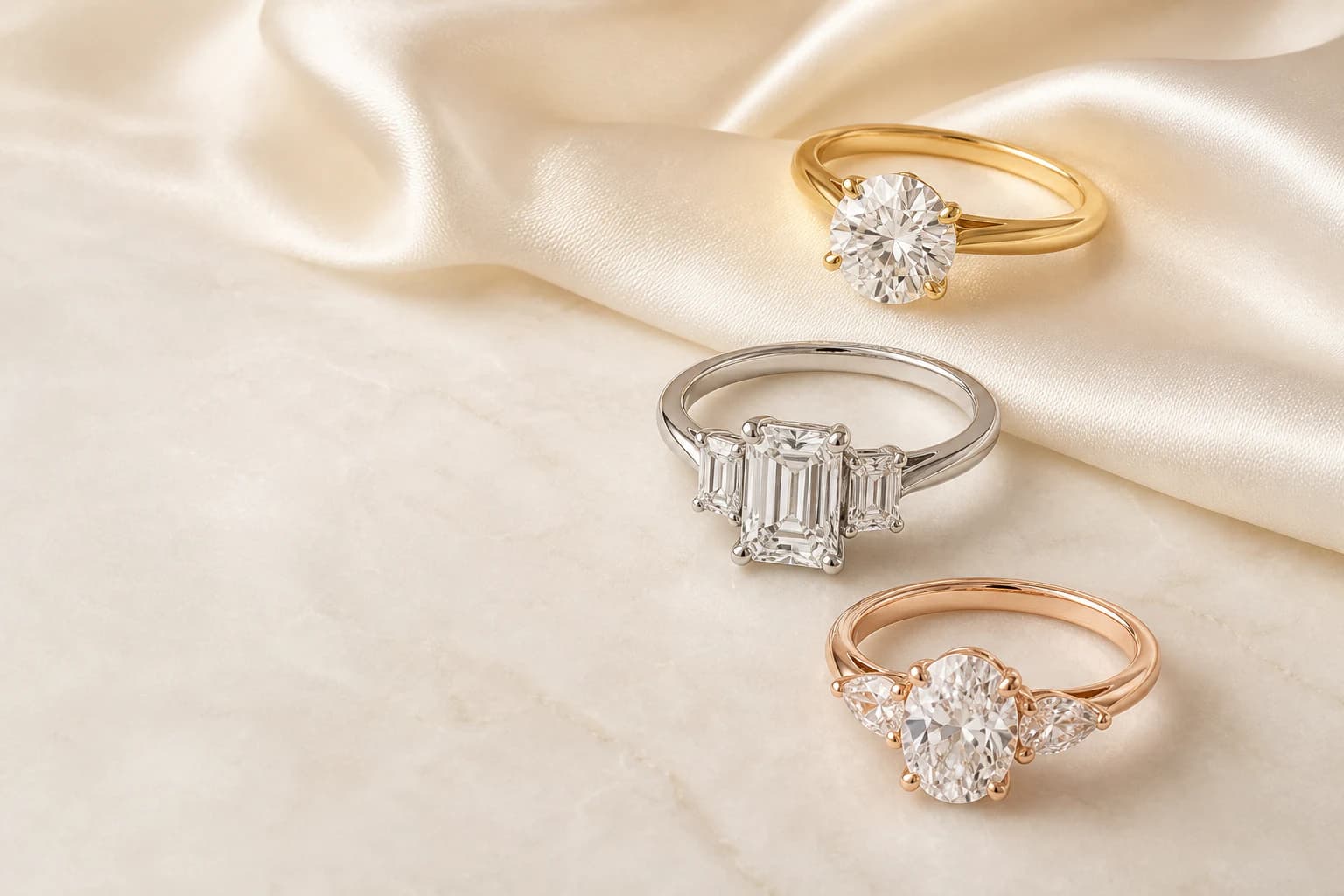
Engagement ring design beginnings shown for comparison. Exact stone, fit, and making details are reviewed with you.
- Explore before you decide
- Choose what matters to you
- Change any answer
- See two directions
What would you like help choosing?
Choose every part you care about. We’ll ask only those questions, and you can change your choices anytime.
Take your time. There is nothing to buy or sign up for before you begin. New designs begin privately unless you have already chosen a different Atelier privacy setting.
Simple from the first tap
How the engagement ring quiz works
Start with what you know, skip anything you are unsure of, and compare two directions before choosing what feels right.
- 01
Choose what matters
Pick one part or many: the stone, metal, fit, style, budget, meaning, timing, or a reference you already love.
- 02
Answer only those topics
We ask only about the parts you picked. Skip anything you are unsure of, and change your choices whenever you want.
- 03
Compare two directions
See two visual design beginnings, notice which details feel right, and keep the stronger direction moving forward.
- 04
Refine when ready
Change one detail, ask for another view, try a photo-based worn view, or send a favorite for human review and a quote.
Start from anywhere
Use what you know. Leave the rest open.
The same guided path works whether you have no idea yet, one strong preference, a reference, or a practical need that should lead the design.
- I am just starting
- Choose the parts that feel useful and leave the rest open. You can compare the basics without arriving with a complete plan.
- I know one detail
- Start with the shape, setting, metal, profile, style, or stone you already care about. Keep that choice and use the quiz to explore what should sit around it.
- I have a photo, sketch, or keepsake idea
- Bring a reference you have permission to use and explain the exact detail you like. Leyloon can use it as direction without treating the image as a complete making plan.
- Real life is leading the choice
- Begin with daily wear, future wedding-band pairing, ring size, budget, timing, or ship-to needs. These details can shape a more useful design conversation.
Plain words, visual choices
What each ring choice changes
Use these quick notes if they help, or go straight to your choices. You can always change a detail after seeing the first directions.
Shape changes the outline
Round feels balanced. Oval and pear add length. Emerald and Asscher cuts feel clean and structured.
Setting changes the frame
A solitaire keeps focus on one stone. A halo adds detail. A bezel makes a smooth border around the stone.
Metal changes the color story
Yellow and rose gold add warmth. White gold and platinum keep the look cool and bright.
Profile changes how it wears
A lower profile sits closer to the hand. A higher profile can leave more room for a wedding band.
Band changes the balance
A plain band is quiet. Pavé adds light. Tapered or sculpted bands pull the eye toward the center.
Scale changes the presence
Delicate, balanced, or bold describes the visual weight. Exact size still needs the stone and measurements.
A choice people often miss
See how low, medium, and high profiles feel different
A side view can explain more than a style name. Compare how the setting sits, then think about daily comfort and the wedding band you may want beside it.
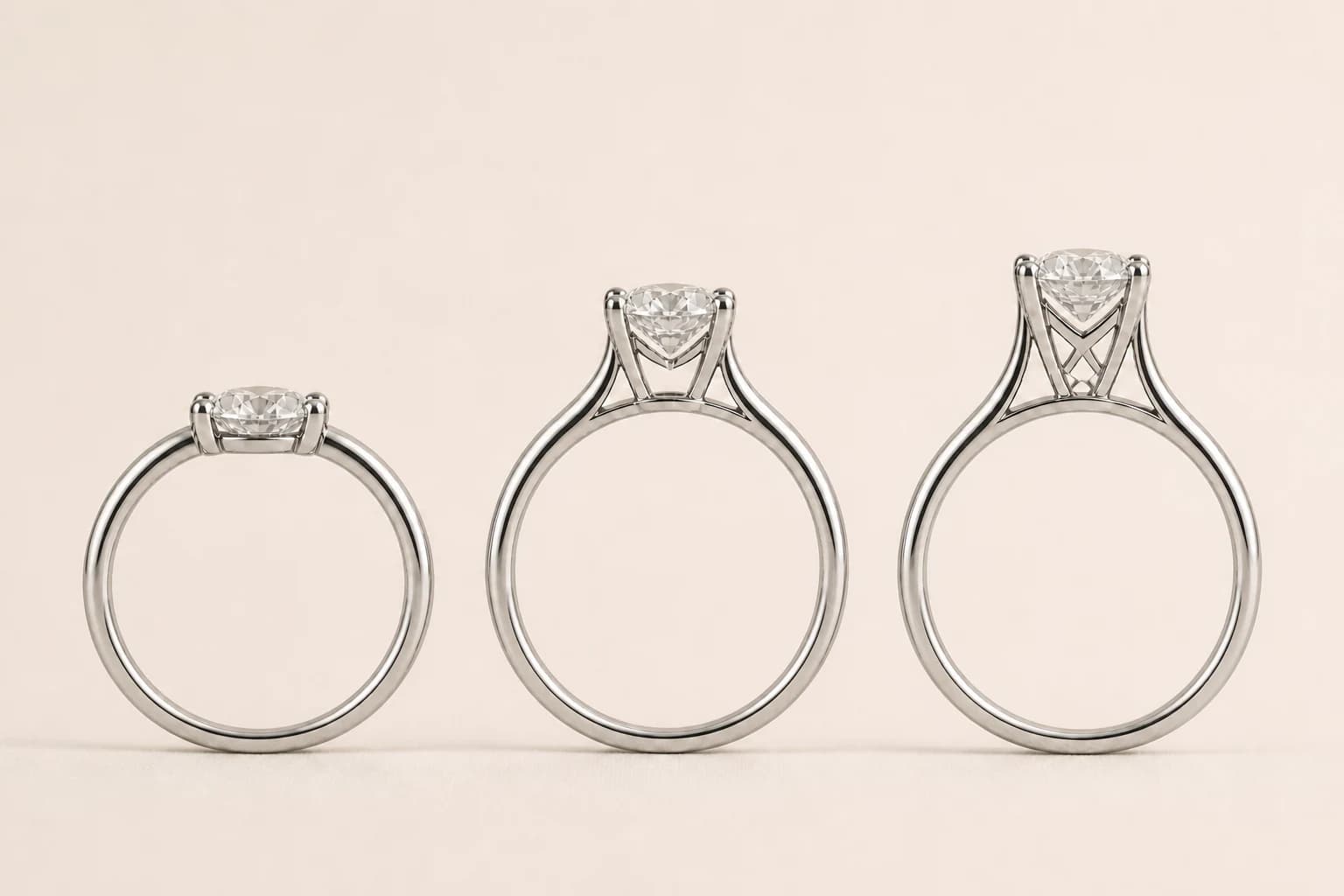
Low profile
Sits closer to the finger and may feel easier for busy hands. Band pairing needs care.
Medium profile
A balanced starting point when you want presence without as much height.
High profile
Lifts the center stone and can make band pairing easier, but may catch more during daily wear.
See it, then shape it
Your first direction is a beginning you can build on
Notice the proportion, feeling, and details you love. Keep shaping a favorite, then ask Leyloon to review it with you whenever you are ready.
Your first directions
Two visual design beginnings shaped by the quiz areas you chose and the answers you gave.
Refine what matters
Ask for a different metal, stone shape, setting, band, scale, angle, worn view, or another related direction.
Review the details before you buy
Leyloon reviews your request before preparing a quote. The written quote gives you a clear price and may include ring-specific options, notes, or a timing estimate. Ask about anything still open.
More than one result
What you can do next in Atelier
Keep the useful context and change only what needs to move. You stay in control of how broad or detailed the design process becomes.
Compare more than one path
Return to Topics, change an answer, or start a new design conversation when you want to explore a genuinely different direction.
Refine an exact area
Open a direction, point to the part you want changed, add a short note, and keep the details you already love in place.
Ask for another view
Explore another angle, a worn-view concept, a metal change, a stone alternative, or a setting refinement without restarting everything.
Use a photo-based worn view
After you have a design, a permitted photo can help compare appearance. It is a visual preview, not proof of size, scale, fit, or comfort.
Keep useful context together
Come back to this conversation in the same browser. Sign in when you want to keep sizes, favorites, and design history with your profile.
Send one direction for review
When a version feels right, send that visual direction and its conversation to Leyloon so the exact details can be reviewed for a quote.
Favorites and style hints
Keep shaping this design in the same Atelier conversation. Guests can return in the same browser. Sign in when you want to keep saved sizes, favorites, and designs with your profile.
Open profile tools See more directionsPublic Atelier inspiration
Explore design directions that customers chose to publish. Use them as inspiration, then confirm the exact stone and making details for your own ring.
Explore public ideasVerified customer reviews
A little reassurance from people who chose Leyloon
Read verified reviews about customers’ Leyloon experience. Engagement-ring and custom-design reviews appear first when available; your own ring and quote are reviewed on their own.
See what Leyloon customers have shared
Read recent shop reviews on Etsy, then come back when you are ready to shape your own ring.
These reviews reflect individual Leyloon service experiences. Your ring and quote are reviewed on their own.
You lead the design
You choose the details. Atelier helps you see them.
Compare two directions and keep shaping the one that feels like yours. When it feels right, send it for Leyloon’s review and a written quote. You choose whether to buy; Leyloon then makes the ring.
Tell Atelier what matters to you
Choose one topic or many. Atelier asks only those questions, and every answer can be changed before you move on.
 Choose my quiz topics
Open a direction and keep designing
Compare two directions, open a favorite, ask for a change, see more angles, try a worn view, or send that exact direction for quote review.
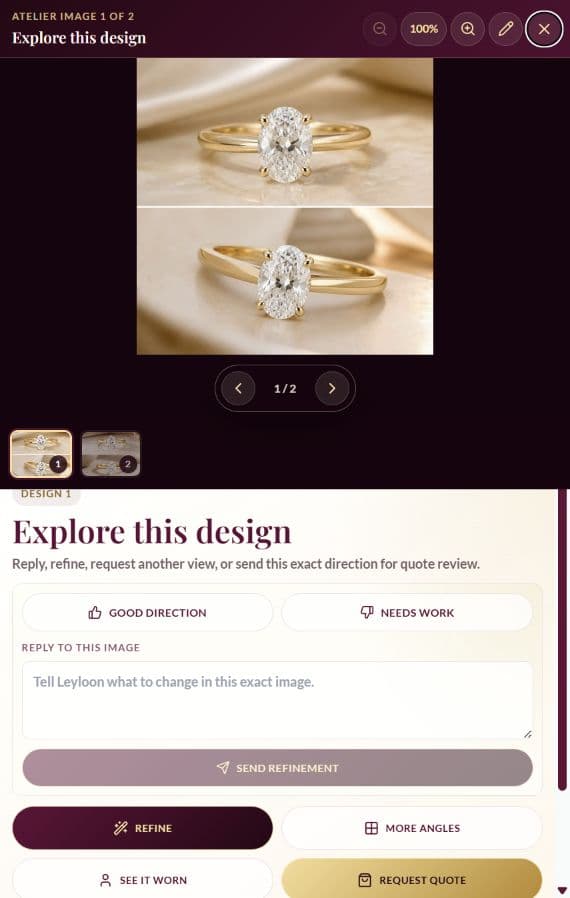 Open the full ring quiz
Your choices lead the design
You make the creative choices.
Atelier helps you see and compare them. Leyloon reviews your chosen direction, prepares the written quote, and makes the piece after you choose to buy.
- 01You choose
Set the direction
Pick the details that matter and leave the rest open. Your answers stay with the design as you move through Atelier.
- 02You design
Compare and refine
See two visual directions, keep the one that feels right, and continue refining the metal, stone, setting, angle, or another detail at your own pace.
- 03Leyloon reviews
Receive a written quote
Send your favorite when you are ready. Leyloon reviews the request and prepares a written quote with a clear price and any ring-specific notes or choices that apply.
- 04Leyloon makes
Choose, make, and follow
Ask for a change or buy when the direction and terms feel right. Leyloon then makes the ring and shares the order and shipment updates available for your piece.
Human review before a quote
What to confirm with Leyloon
Your preview gives us a lovely place to begin. Use this list to make sure the details that matter are clear before you buy.
- The exact design version
- Which direction is moving forward, what should change, and which visible details should stay.
- The exact stone and its document
- Stone identity, displayed measurements and availability, plus any grading report, assessment, or origin details supplied for that stone.
- Fit and how it will be made
- Ring size, profile, band pairing, setting support, wear needs, and whether the requested form can be made safely.
- Materials and finish
- Metal, finish, stone setting, personalization, and any details that affect care or production.
- The written quote
- The quoted price and any ring-specific options, notes, or timing estimate shown, plus the questions that remain open before purchase.
- Order terms
- Shipping, changes, returns, resizing, and optional media-review steps as they apply to this exact custom piece.
Every ring has its own path. Review the details shown in your written quote and order terms, and ask about anything still open.
Close care, from choice to delivery
Stay close to every important choice
A custom ring should feel exciting, not uncertain. You can ask for a closer look, keep questions with your account, and follow the updates available for your piece.
Before Leyloon makes your ring
Take a closer look at a stone
If a listed stone catches your eye, ask Leyloon for another photo or video. We will keep its exact reference with your message and confirm what media is available.
Explore current stonesReview the design and quote together
Before you buy, review the exact stone, quoted price, design details, and any choices shown. Ask Leyloon about anything still open.
See how quotes workSee the document for the exact stone
When a grading report comes with a stone, the available lab and report details are shown with that stone. Other assessments and documents vary; ask what applies to the piece you are considering.
Learn what to check
While Leyloon is making it
Turn on final media review
After you order, you can turn on final media review from your signed-in order page. When it is ready, approve shipping or ask Leyloon about a change before the date shown there.
Open my ordersStay close to your order
Sign in to see the order status and the production steps Leyloon has added for your piece. Send a message whenever a question comes up.
Message LeyloonFollow the shipment when it is ready
Once a tracking number is added, open the carrier’s tracking page from your Leyloon account.
Track a shipment
Useful Leyloon tools
Keep the design, stone, size, questions, and order connected
Choose the one tool that helps right now, and leave the rest until you need it.
Compare current stones
Browse current diamonds, moissanite, and gemstones when you want an exact stone to shape the design.
Browse stonesSave size and try-on details
Keep ring sizes, style hints, and optional try-on references together after you sign in.
Open profile toolsKeep favorite ideas
Return to useful jewelry and design directions without making a purchase decision yet.
View favoritesExplore public ideas
See design directions that customers chose to publish, then start a private direction of your own.
Browse ideasAsk Leyloon
Use Leyloon messages for design, quote, stone, order, or aftercare questions when you want human help.
Open messagesFollow an order
Signed-in customers can view the order and production updates Leyloon has added. Once a tracking number is available, open the carrier link from your account.
View ordersHelpful before or after the quiz
Clear guidance for each part of the decision
Open the guide that answers today’s question. Keep shaping the design here, and sign in when you want sizes, favorites, and designs kept together.
01Before you start5 guides+
See the main decisions without trying to settle everything at once.
→Learn a partner’s ring styleNotice useful clues without turning the surprise into a guessing game.
→Estimate a surprise ring sizeUse safer ways to narrow the size before final confirmation.
→Start from a reference photoName the detail you like and keep permission, privacy, and originality clear.
→Privacy for references and profile detailsUnderstand how prompts, uploads, sizes, and saved profile details support the service.
→02Choose ring details4 guides+
Use plain explanations for solitaire, halo, bezel, three-stone, and more.
→Halo or solitaireCompare visual detail, center-stone focus, and daily care.
→Low or high profileThink about comfort, height, and wedding-band pairing.
→Pair shape with settingSee how the center outline and its frame work together.
→03After your directions4 guides+
Name the exact version, requested changes, and details that should stay.
→Can this concept be made?Understand why fit, support, materials, and construction need human review.
→Check a stone and its reportReview the exact stone, its exact document, setting needs, and current terms.
→How quote requests workSee how Leyloon reviews your direction and prepares a quote with a clear price and any ring-specific options, notes, or timing estimate that apply.
→04Policies and aftercare7 guides+
Know what each stage can show before you approve the next step.
→Production and delivery stagesSee which order, making, quality, shipment, and delivery updates may apply.
→Resizing possibilitiesLearn why exact construction, setting, metal, and size change what may be possible.
→Jewelry care centerFind care guidance for the exact stone, metal, setting, and finish.
→Shipping and processingRead Leyloon’s current guidance for processing, order updates, shipment, and carrier tracking.
→Returns and custom termsReview the current return policy and the special terms that can apply to custom work.
→Track a shipmentUse the tracking tool after shipment details become available for an order.
→Questions before you begin
Clear answers for the whole path
A few simple answers about designing, reviewing, buying, and caring for your ring.
Is this an engagement ring personality test?+
No. It asks about ring features and daily wear. It does not use movies, zodiac signs, or a personality label to choose a ring for you.
What if I do not know all the ring details?+
Choose only the topics where help would be useful. Every question can be skipped, and you can return to Topics or change an answer after you see the first directions.
Can I use the quiz for my partner?+
Yes. Answer from the ring details, jewelry, colors, and daily routine you know. If you are unsure, skip the choice instead of guessing.
Can I try the engagement ring quiz for free and without email?+
You can open the quiz and make your choices without a checkout or email form. The quiz does not order a ring. A quote or purchase happens only if you ask for one.
Can I revise a direction or create another one?+
Yes. Refine the metal, stone, setting, band, scale, angle, or another exact area. You can also return to Topics or begin a new design conversation when you want a different path.
Can I upload a reference photo or sketch?+
Yes, if you have permission to use it. Explain the exact detail you like and any detail you do not want copied. A reference guides the conversation; it does not replace dimensions, rights review, or a making plan.
What does the photo-based try-on show?+
It creates a worn-view design preview after you have a direction to explore. Use it to compare the look; Leyloon still confirms size, scale, fit, comfort, and making details with you.
Can the ring be made exactly like the preview?+
The preview is a design beginning. Leyloon reviews the exact stone, measurements, support, ring size, materials, and daily wear with you before confirming how the ring can be made.
How are the stone and grading report checked?+
If a listed stone has a grading report, use the stone reference, lab, report number, and measurements shown with it to identify that exact stone. Other assessments and disclosures vary; ask Leyloon what applies before you buy.
What happens when I request a quote?+
Leyloon receives the design direction and useful conversation details for human review. The written quote gives you a clear price and may include ring-specific options, notes, and a timing estimate. A quote request does not place an order.
What do I review before I buy?+
Review the chosen design, the stone and material details shown, size, quoted price, any notes, options, or timing estimate, shipping details, and the custom terms that apply. Ask about anything unclear before buying.
What happens after I buy the custom ring?+
Leyloon moves your order through the making steps that apply to your ring. Sign in to see the status and the production updates Leyloon has added, message Leyloon, and use carrier tracking once a tracking number is available.
Can a custom ring be returned or resized?+
It depends on the exact ring and its written terms. Custom, engraved, altered, resized, or customer-approved work may have special return terms after production begins, and some constructions cannot be resized safely. Review the quote and current policies before buying.
Will my new quiz conversation be private?+
A new guided design begins privately unless you have already saved a different Atelier privacy choice. You decide whether to share a design. Guests can return in the same browser; sign in to keep history and profile tools with your account.
Do I have to request a quote or buy a ring?+
No. You can compare and refine directions without asking for a quote. Leyloon prepares a quote only after you send the request, and you buy only if the reviewed details feel right.
Can I ask for another photo or video of a stone?+
Yes, for a listed stone, ask Leyloon for a closer photo or video. We will keep the exact stone reference with your message and tell you what media is available. Confirm the stone and quote details before you buy.
Can I see final photos or video before shipping?+
After you order, you can turn on final media review from your signed-in order page. When Leyloon adds the photos or video, you can approve shipping or request a change. Please reply by the date shown with the order; it may move to shipping after that review window.
Does every stone or ring come with a certificate?+
Documents depend on the exact stone and piece. A listed stone shows the available grading-report details when supplied. Ask Leyloon to confirm the selected metal, finish, and documents that apply before you buy.
Ready to see it?
Begin with what matters. Build from there.
Choose what matters, see two directions, and keep shaping the one you love. Ask Leyloon to review it whenever you are ready.