LeyloonJewelry AtelierHome
Bag

A beginning you can respond to

Use a design preview to decide what you want to explore next with Leyloon.

A preview gives shape to an idea so you can notice the details that feel right. Leyloon reviews the stone, fit, materials, price, and making details with you before a final decision.

A person comparing self-directed Atelier ring designs while a craftsperson reviews jewelry in the background
Illustrative scene—not a customer testimonial. You direct the visual exploration; Leyloon reviews feasibility, options, approvals, and making details with the active request.

A thoughtful answer before the next step

What does a jewelry design preview show—and what does it not show?

What matters here

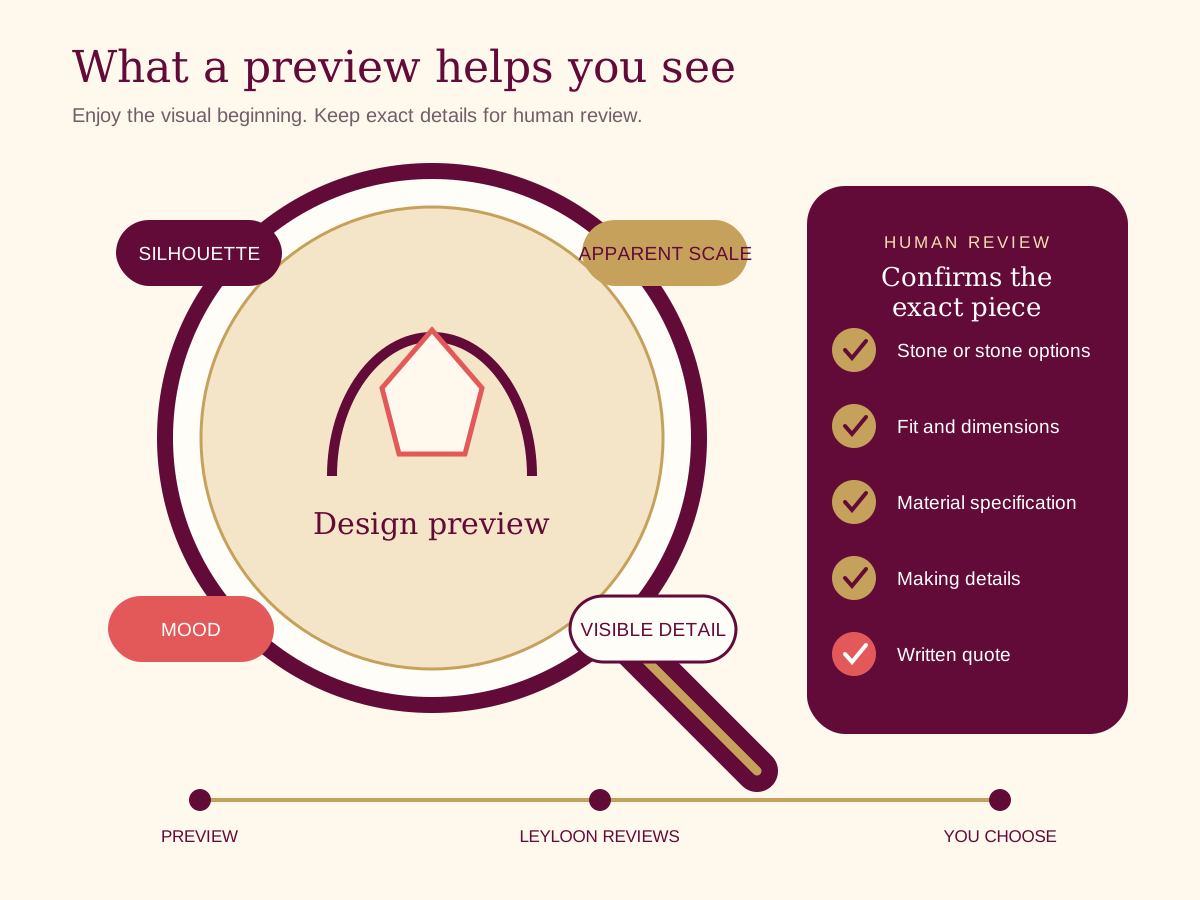
Use the preview to compare silhouette, style, material direction, and composition; explicitly separate it from exact scale, stone identity, engineering, CAD, finish, and final color appearance.

Real ways this can begin

Find the path that feels closest to yours

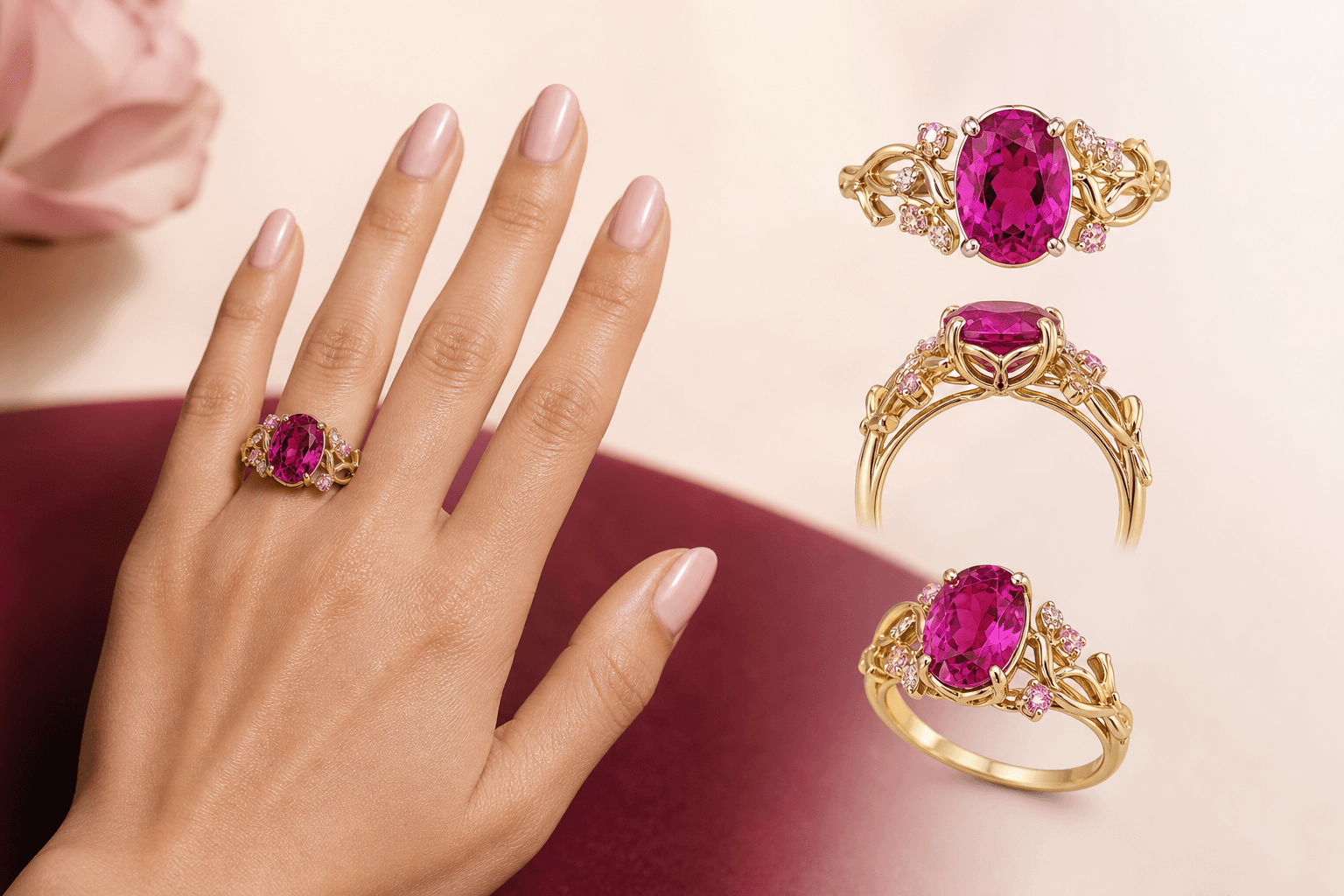
  1. A try-on visualization can help compare presence on a hand, while actual size, lighting, fit, and proportions still need documented review.

  2. Use the page when the visitor knows one part of reading a visualization without mistaking it for the final piece but wants help keeping the remaining choices open.

  3. For reading a visualization without mistaking it for the final piece, use the Atelier handoff when the visitor is ready to preserve the relevant process choices and answer only what remains.

Compare the decision in context

Four decisions that make jewelry design preview easier to review

For jewelry design preview, keep the wearer and purpose steady while you compare. If every visible detail changes at once, it becomes much harder to tell which choice brought this particular piece closer to what you meant.

DirectionWhat it contributesHow to describe itWhat still needs review
SilhouetteA ring preview reveals that the low profile matters more than a particular setting name.Explain the silhouette in everyday words and connect it to the person, occasion, or memory behind the piece.Check that the first visual direction still carries the silhouette and the reason you wanted this piece in the first place.
ScaleYou want to respond to something visible instead of an abstract description.Describe how the piece will be worn so the scale is part of the brief from the beginning.Comfort, movement, fit, handling, and care may change an otherwise attractive direction once it meets the real-life needs behind the scale.
MaterialsA pendant preview shows that the symbol feels right but the chain length needs comparison.Ask for two versions that differ mainly in materials while the rest of the idea stays recognizable.Choose the version that feels clearer, then name how the materials made the difference.
Reviewed detailAn earring preview helps a wearer choose less movement for a long day.Attach the selected version and state the question about the reviewed detail plainly.Leyloon can review the reviewed detail in the selected combination before price and options are added to the request.

See how the choice changes

Three ways reading a visualization without mistaking it for the final piece can begin

These examples show how reading a visualization without mistaking it for the final piece may begin. They are planning scenarios, not customer stories or finished-piece promises.

A personal reason becomes a usable brief

A ring preview reveals that the low profile matters more than a particular setting name.

Direction
Write what must remain emotionally recognizable, then add one sentence about the scale. Leave unfamiliar technical choices open for discussion.
Why it helps
A brief with a reason and a real-life need gives each later design choice a useful test.

One comparison reveals a real preference

A pendant preview shows that the symbol feels right but the chain length needs comparison.

Direction
Keep the silhouette and purpose steady. Change the materials only, then note which version feels more natural and why.
Why it helps
A single-variable comparison is easier to understand than two unrelated designs.

A practical question reaches review early

An earring preview helps a wearer choose less movement for a long day.

Direction
Put the question about the reviewed detail beside the preferred visual rather than waiting until the end.
Why it helps
The reviewer can see the intended look and the unresolved practical detail together.

Questions people ask in plain language

Answers for reading a visualization without mistaking it for the final piece

Open the answer that helps with reading a visualization without mistaking it for the final piece. Each response stays tied to “What does a jewelry design preview show—and what does it not show?

What should I decide first when exploring jewelry design preview?

Notice the one element that feels right. For example, a ring preview reveals that the low profile matters more than a particular setting name. That is enough for a first direction; material names and construction details can remain open until you have something visible to respond to.

How can the silhouette guide the design without deciding everything?

This path is useful when you want to respond to something visible instead of an abstract description. Describe why that part matters to the wearer, then add the practical context behind the scale. The combination gives Leyloon a clearer brief than a style label alone.

Can I change the materials without losing the rest of the idea?

Yes. For example, a pendant preview shows that the symbol feels right but the chain length needs comparison. Keep the strongest part of the current version, change one visible variable, and compare the two side by side. A focused revision makes it easier to explain what genuinely improved.

Which parts of the reviewed detail need human review for the silhouette?

This path is useful when you can separate the visual feeling you like from details still needing review. A preview helps with silhouette, mood, and proportion. Exact materials, measurements, fit, stone details, construction, and reviewed detail need review against the selected version before they are treated as settled.

What happens after I submit a quote request built around the silhouette?

This path is useful when you are ready to ask Leyloon one concrete question about the current direction. After you submit the quote request, Leyloon adds price, options, and status to that same request. You can decide from there or ask for another variation without losing the earlier direction.

Carry the useful details forward

Keep the brief clear when you continue

Use the preview to compare silhouette, style, material direction, and composition; explicitly separate it from exact scale, stone identity, engineering, CAD, finish, and final color appearance.

  1. Write why the silhouette matters to the wearer or occasion.

  2. Name one visual anchor that supports the silhouette and explain what you like about it.

  3. Describe the scale with real comfort, fit, movement, or handling needs.

  4. Mark assumptions and unknowns around the reviewed detail so they are not mistaken for final choices.

  5. Choose one alternative around the materials and keep the rest recognizable.

  6. Attach the preferred version and ask the exact question about the reviewed detail.

  7. Save the selected direction before you begin another revision.

Illustrative person comparing multiple jewelry directions in a digital Atelier while a jeweler reviews a ring
Illustrative scene, not a customer testimonial. Customers shape the visual direction; Leyloon reviews the details, quote, and making path. Here it supports the decisions behind “Use a design preview to decide what you want to explore next with Leyloon.

A visual map of this brief

See what stays known—and what remains open

This route begins with “Use a design preview to notice what you want to keep.” The next choices stay grouped, editable, and connected to that same Atelier brief.

  1. Piece to designChoose one piece. The following questions adapt inside Atelier.
  2. Gemstone familyChoose the laboratory-grown gemstone first. The color choices will adapt to that family.
  3. Color directionThese choices follow the gemstone family above. Exact shade still belongs to the stone you review.
  4. Stone shapeChoose the complete outline family you want to start from.

Start with what matters on this page

Choose the stone before its color and setting

Start with the piece and stone family. The later choices should follow that decision, not compete with it.
01 Piece to designChoose one

Choose one piece. The following questions adapt inside Atelier.

02 Gemstone familyChoose one

Choose the laboratory-grown gemstone first. The color choices will adapt to that family.

03 Color direction

These choices follow the gemstone family above. Exact shade still belongs to the stone you review.

One choice comes firstChoose a gemstone family first, then its useful color directions will appear here.
04 Stone shape

Choose the complete outline family you want to start from.

05 Stone size direction

Carat is weight, not a guaranteed face-up dimension. Atelier keeps this editable and lets the exact measurements decide the fit.

What else should Atelier help with?

Add only the parts you want to explore. The page topic is already included.

Stone detailsIncluded from this page

Choose piece to design and gemstone family to continue. “Not sure” is a valid choice.

Published customer proof

Real experiences, kept separate from promises

Only approved purchase-linked reviews appear here. An illustrative scene is never presented as a customer, and one person’s experience is never treated as a promise for another piece.

See what Leyloon customers have shared

Read recent shop reviews on Etsy, then come back when you are ready to shape your own custom jewelry direction.

See Leyloon reviews on Etsy

These reviews reflect individual Leyloon service experiences. Your custom jewelry direction and quote request are reviewed on their own.