Keep the measurement useful
Turn one careful measurement into a ring-size direction.
Use the calculator as a starting point, then keep the finger, hand, unit, and band width with the result. Leyloon can review those details with the design you choose.
Ring size starting point
Turn one careful measurement into a US size direction.
Measure more than once at a comfortable temperature. The result is a starting US direction, not a guaranteed fit.Home measurements, finger shape, temperature, and band width can change the fit. Ask Leyloon or a local jeweler to review the intended finger and band before ordering.
Fit, wear & care—considered together
A clearer decision, with the important context kept beside it
Enter an inside diameter or finger circumference and keep the original measurement beside a Leyloon size table comparison.
Use this page when
- You measured millimeters carefully and know which measurement type you used.
- You want a starting comparison before reviewing band width and knuckle fit.
Pause and choose another path when
- The ring you measured is oval, bent, or worn on another finger.
- You only know height, weight, or an unlabeled number.
Where this choice often matters
- Turning an existing-ring diameter into a ring-size direction.
- Checking a home finger measurement before beginning a custom ring.
Compare the details
A result should show its physical basis
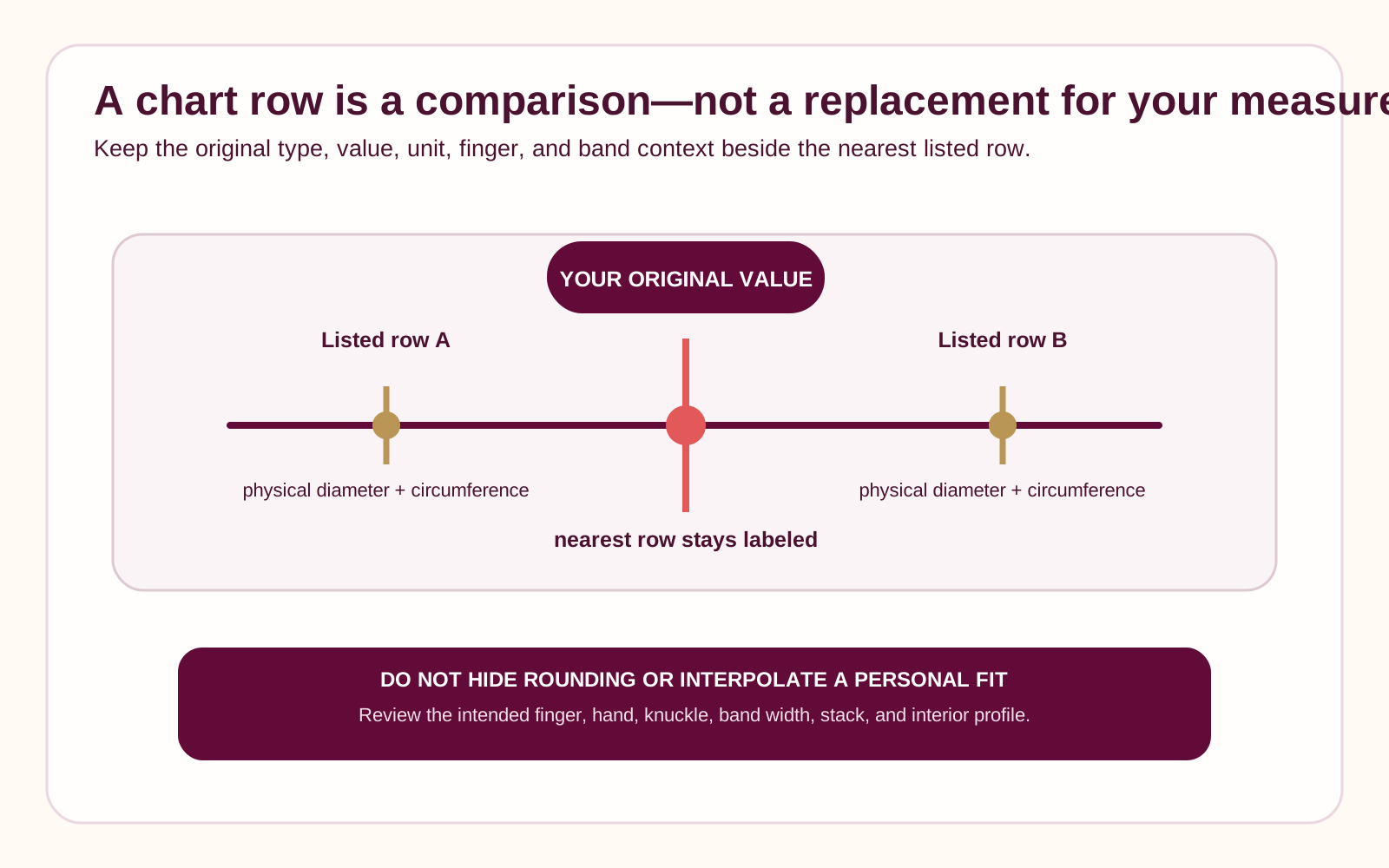
The calculator preserves your original measurement, compares it with 22 US half-size rows from 3 through 13.5, and shows nearby rows instead of inventing an in-between size.
| Input | Example display | Calculation role | Still review |
|---|---|---|---|
| Inside diameter | 17.3 mm | Match to Leyloon size table | Roundness and inner edge |
| Finger circumference | 54.4 mm | Match to nearest table values | Measurement tension and knuckle |
| Named size | US 7 | Show physical dimensions | Source system and maker |
| Between rows | Two nearby sizes | Show both, never hide rounding | Band width and wearer trial |
Ring-size reference chart
Compare named sizes with inside measurements
Keep your original system and maker’s chart. This table is a comparison aid, not a universal fit promise.
| US & Canada | UK, Europe & Australia | Asia | Inside diameter | Inside circumference |
|---|---|---|---|---|
| 3 | F | 4 | 14.1 mm | 44.3 mm |
| 3.5 | G | — | 14.5 mm | 45.6 mm |
| 4 | H | 7 | 14.9 mm | 46.8 mm |
| 4.5 | I | 8 | 15.3 mm | 48.1 mm |
| 5 | J | 9 | 15.7 mm | 49.3 mm |
| 5.5 | K | 10 | 16.1 mm | 50.6 mm |
| 6 | L | 11 | 16.5 mm | 51.8 mm |
| 6.5 | M | 13 | 16.9 mm | 53.1 mm |
| 7 | N | 14 | 17.3 mm | 54.3 mm |
| 7.5 | O | 15 | 17.7 mm | 55.6 mm |
| 8 | P | 16 | 18.1 mm | 56.9 mm |
| 8.5 | Q | 17 | 18.5 mm | 58.1 mm |
| 9 | R | 18 | 19.0 mm | 59.7 mm |
| 9.5 | S | 19 | 19.4 mm | 60.9 mm |
| 10 | T | 20 | 19.8 mm | 62.2 mm |
| 10.5 | U | 22 | 20.2 mm | 63.5 mm |
| 11 | V | 23 | 20.6 mm | 64.7 mm |
| 11.5 | W | 24 | 21.0 mm | 66.0 mm |
| 12 | X | 25 | 21.4 mm | 67.2 mm |
| 12.5 | Y | 26 | 21.8 mm | 68.5 mm |
| 13 | Z.5 | 27 | 22.2 mm | 69.7 mm |
| 13.5 | Z1 | — | 22.6 mm | 71.0 mm |
Reviewed 2026-08-25. Source reference: GIA ring-size guide. This table follows GIA’s US and Canada, UK/Europe/Australia, and Asia columns; blank cells are not listed by GIA. Leyloon uses the nearest physical row without interpolation and keeps your original measurement beside it.
Questions worth asking
Open the concern that sounds like yours
Choose the question that sounds like yours. Each answer keeps the next step clear without closing decisions that still need review.
Why not give one exact size?
The table can match a measurement, but personal fit still depends on how it was taken and on the exact ring.
What if my result sits between sizes?
Keep both nearby rows and compare them with the intended width, knuckle, and fit preference.
Can the result go into Atelier?
Yes, once valid, with the original method, value, unit, and starting result still editable.
Ready when you are
Carry this direction into your design
Leyloon can keep these choices together while you continue. Every detail stays editable. Your choices stay editable as you continue.
- Original type, value, unit, and Leyloon size table resultNeeded before the direction is complete
- Exact or planned band widthA useful next question
- Interior profile if knownKeep it open if you are still deciding
- Intended hand, finger, knuckle, and confidenceKeep it open if you are still deciding
Start with what matters on this page
Keep the measurement and the ring context together
The calculator compares a millimeter reading with a reference chart. Choose what you measured, then keep the fit details Leyloon should review beside the result.Published customer proof
Real experiences, kept separate from promises
Only approved purchase-linked reviews appear here. An illustrative scene is never presented as a customer, and one person’s experience is never treated as a promise for another piece.See what Leyloon customers have shared
Read recent shop reviews on Etsy, then come back when you are ready to shape your own fit and jewelry direction.
These reviews reflect individual Leyloon service experiences. Your fit and jewelry direction and quote request are reviewed on their own.