Print, check, then measure
Use a printable ring sizer with the scale checked first.
Print at the instructed scale, verify the reference mark, and record how the result was taken. If the print scale is wrong, the size direction will be wrong too.
Printable ring check
Print a measured reference before comparing a ring.
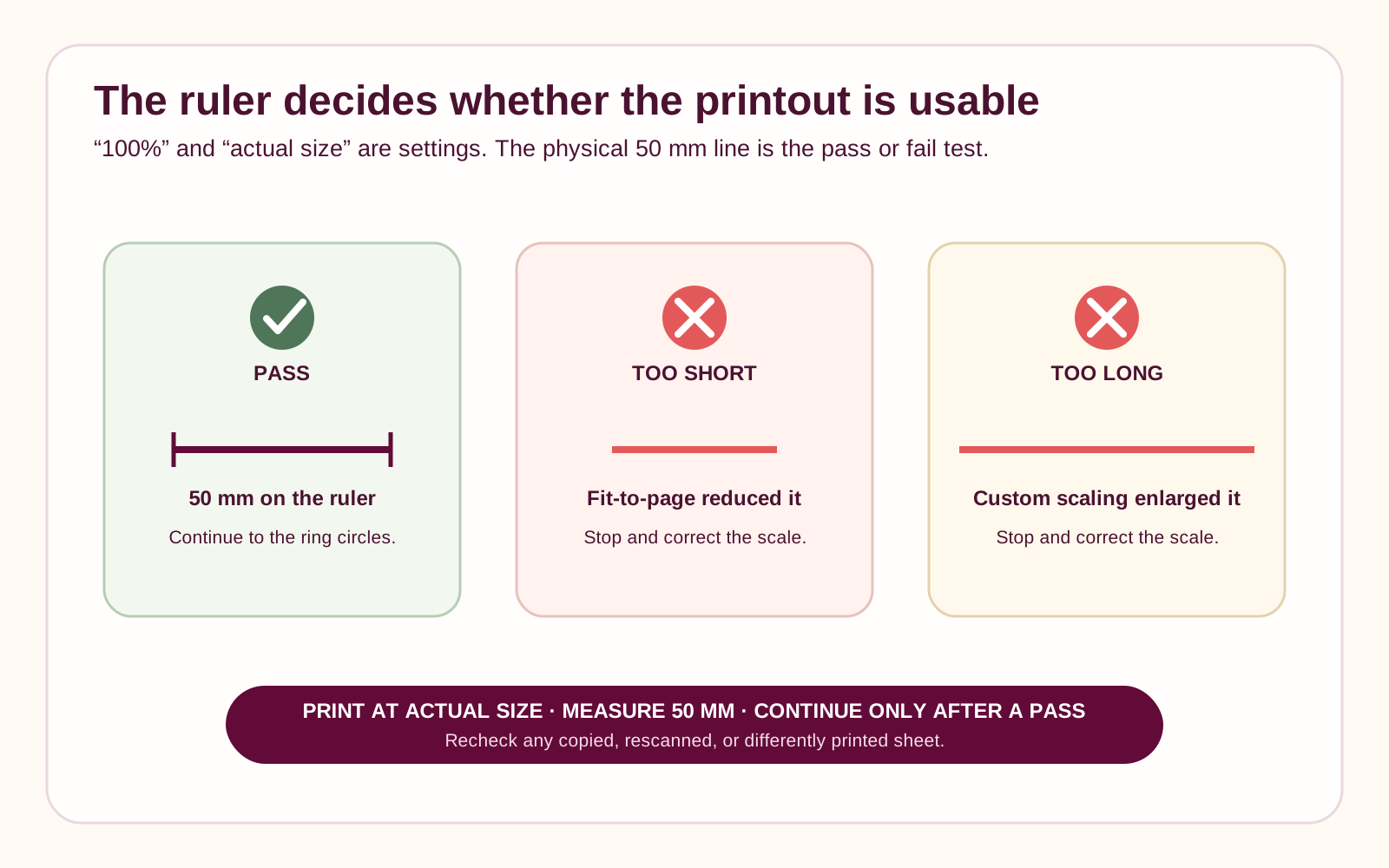
Print at 100% or actual size. First confirm the calibration line with a ruler; do not use a page that was scaled to fit.After printing, the line below must measure exactly 50 mm. If it does not, correct the print scale and print again.
Use a physical metric ruler. A ruler image on the same screen cannot verify the print scale.
Match a round ring that already fits the intended finger. Compare the ring’s inner edge—not its outside edge—with the circle.
Place a well-fitting ring over a circle and compare the inner edge. Confirm the final size for the intended finger and band width.
Fit, wear & care—considered together
A clearer decision, with the important context kept beside it
A printable sizer is useful only after the page passes a ruler calibration check. If the scale is wrong, stop and print again.
Use this page when
- You have a printer, a millimeter ruler, and a round ring that fits.
- You want a physical comparison after confirming print scale.
Pause and choose another path when
- The calibration line is not exact.
- You only have a screenshot, scaled preview, or distorted source ring.
Where this choice often matters
- Checking a favorite ring before an online order.
- Preparing a second measurement before a custom design.
Compare the details
Printable tool pass/fail contract
This sheet currently shows only five sample circles, so treat it as a demonstration—not a complete size set.
| Step | Pass | Fail | Action |
|---|---|---|---|
| Print scale | 100% or actual size | Fit to page or unknown | Correct settings |
| Calibration | Line equals 50 mm | Any mismatch | Discard and reprint |
| Ring placement | Inner edge matches circle | Outside metal aligned | Reposition |
| Size set | Full supported table range | Only sample diameters | Tool remains incomplete |
Questions worth asking
Open the concern that sounds like yours
Choose the question that sounds like yours. Each answer keeps the next step clear without closing decisions that still need review.
Why can’t I use the screen?
Pixel scale varies unless calibrated. This route is a print tool with a physical ruler check.
What if my ring falls between circles?
Record the actual inside diameter and compare both nearby size rows.
Can I print from my phone?
Only if the final physical page passes the same 50 mm ruler check.
Ready when you are
Carry this direction into your design
Leyloon can keep these choices together while you continue. Every detail stays editable. Your choices stay editable as you continue.
- Calibrated result and nearby size rowNeeded before the direction is complete
- Source and intended widthsA useful next question
- Calibration line result, print setting, and confidenceKeep it open if you are still deciding
Start with what matters on this page
Calibrate first, then compare the inside edge
Check the printed 50 mm line with a physical ruler before using any circle or strip. A failed or unchecked page leaves the size open.Published customer proof
Real experiences, kept separate from promises
Only approved purchase-linked reviews appear here. An illustrative scene is never presented as a customer, and one person’s experience is never treated as a promise for another piece.See what Leyloon customers have shared
Read recent shop reviews on Etsy, then come back when you are ready to shape your own fit and jewelry direction.
These reviews reflect individual Leyloon service experiences. Your fit and jewelry direction and quote request are reviewed on their own.