LeyloonJewelry AtelierHome
Bag

You direct the design

Start from an idea, image, or stone and generate directions you can compare before requesting a quote.

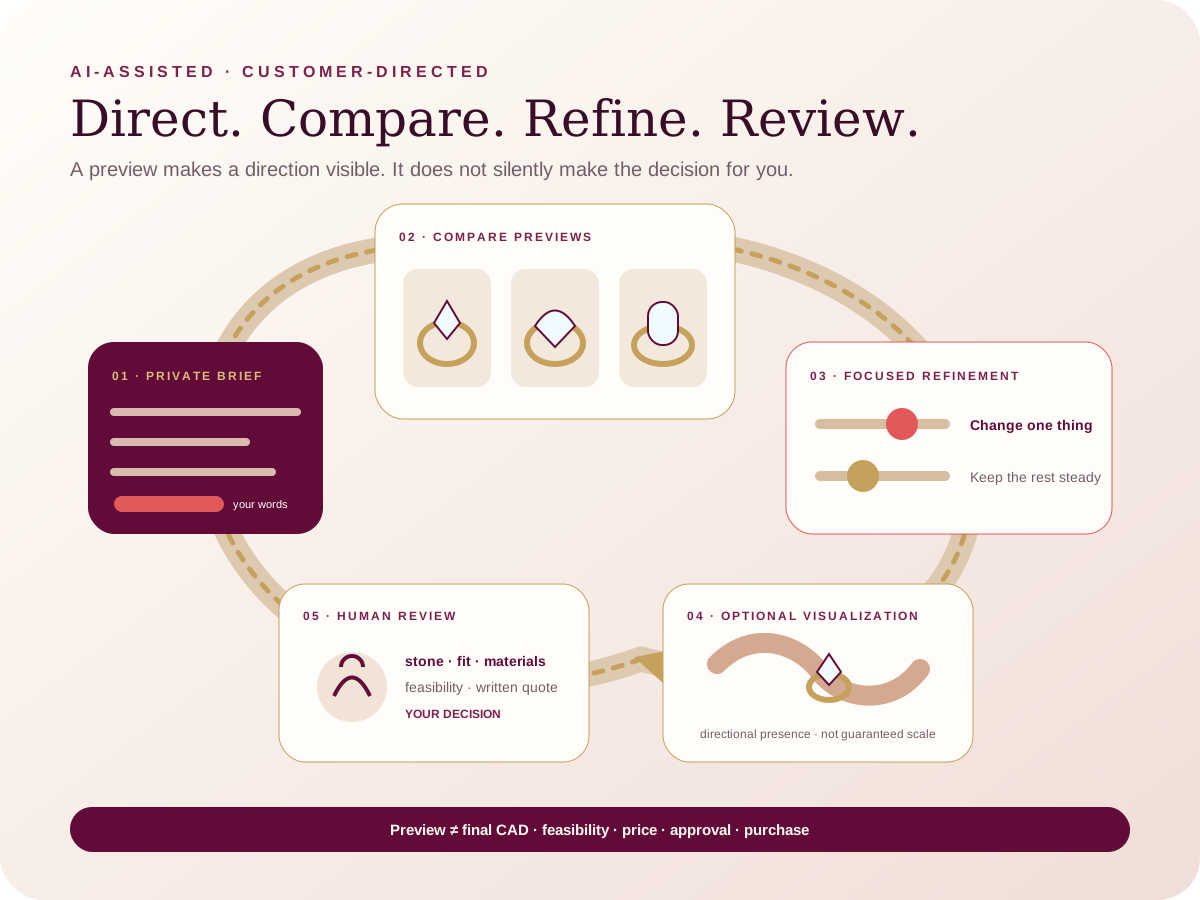
Leyloon Atelier helps you make choices visible. Leyloon then reviews the stone, fit, materials, price, and making details with you before you decide whether to buy.

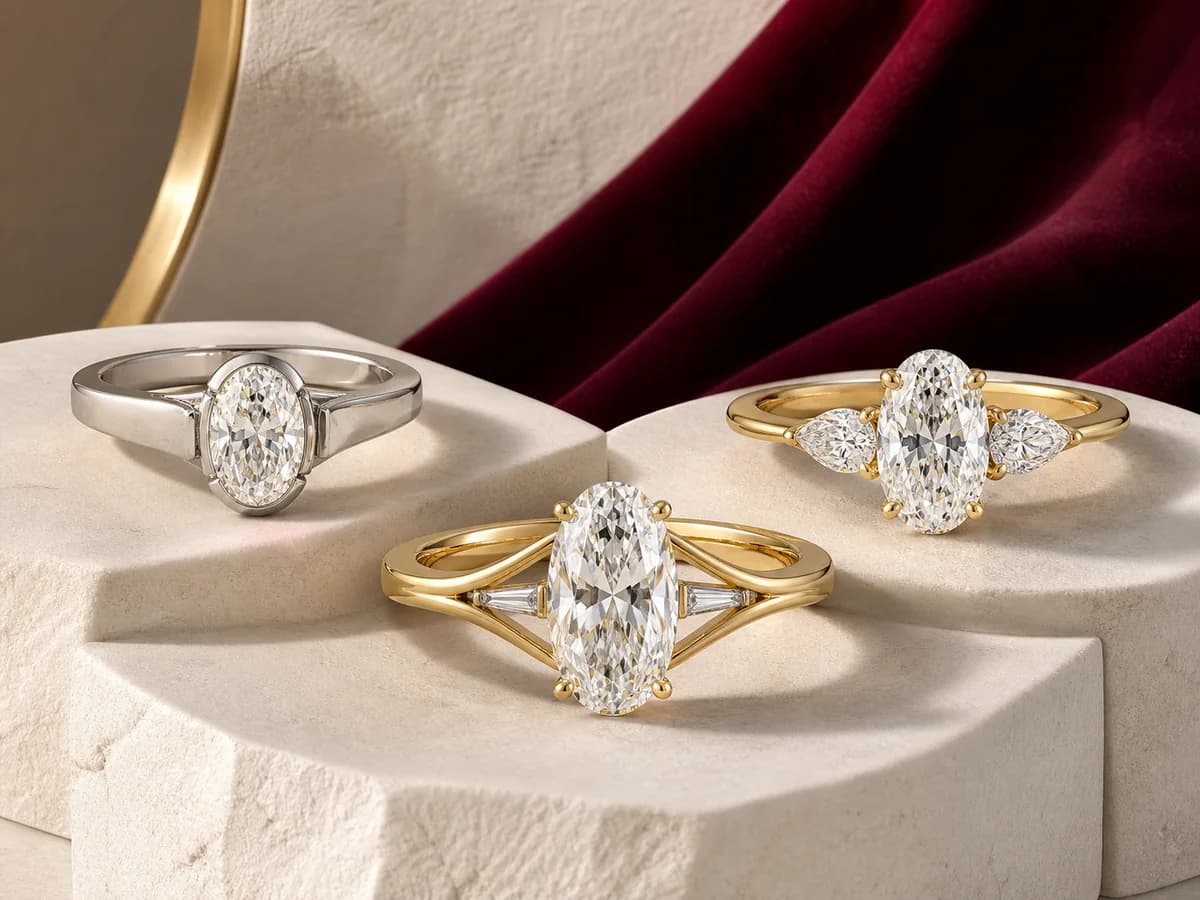
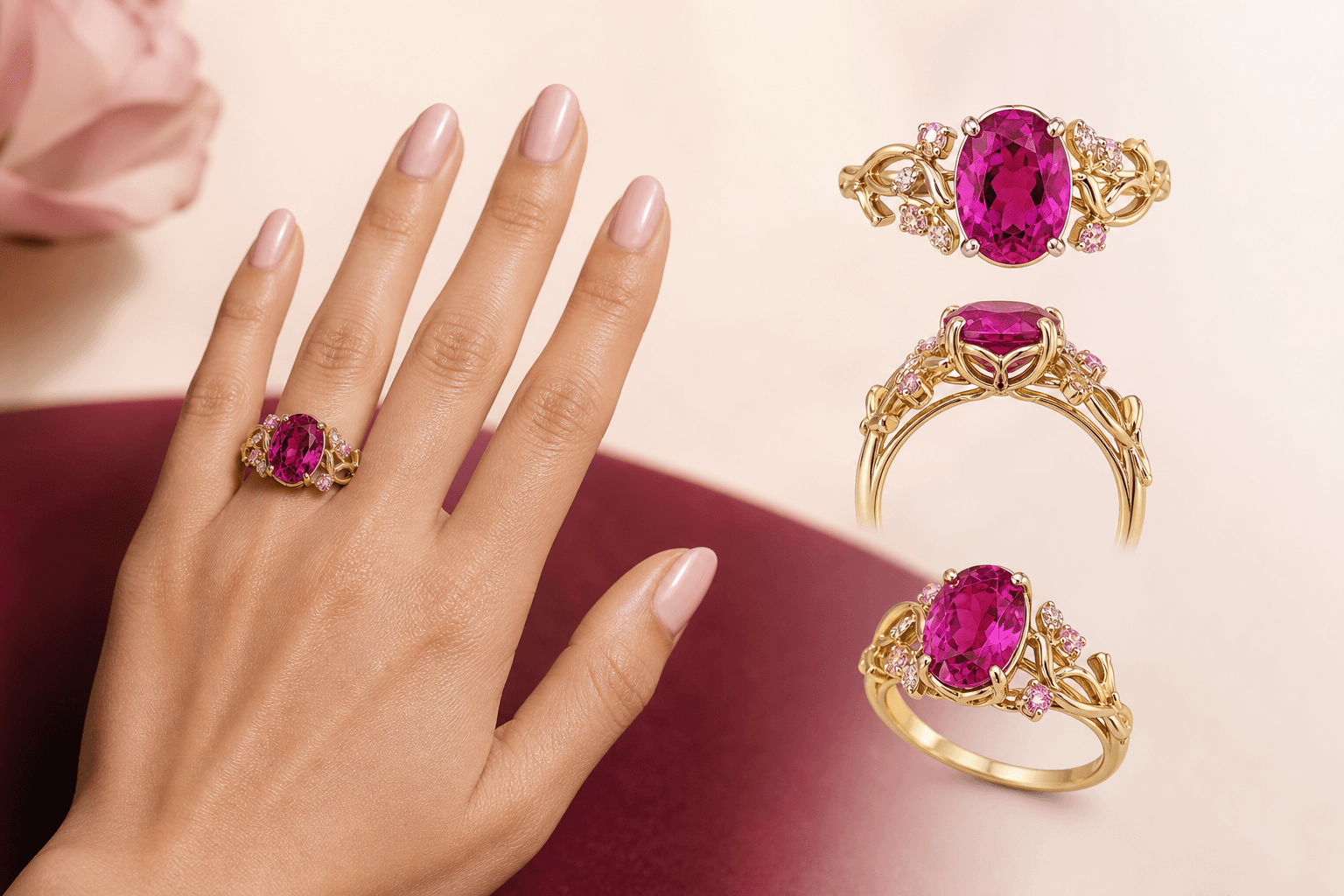
Four engagement-ring directions with distinct stone, setting, and metal combinations
Illustrative ring directions. Use them to isolate what you respond to—shape, setting, metal, proportion, or visual character—then keep those choices editable in Atelier.

A thoughtful answer before the next step

How does AI-assisted engagement-ring design work at Leyloon?

What matters here

Let the customer choose known ring details, generate multiple visual directions, edit the brief, and request a human-reviewed quote only for the direction they want to pursue.

Real ways this can begin

Find the path that feels closest to yours

  1. A visitor can compare classic solitaire and low-profile bezel directions while preserving the same oval stone and yellow-gold preference.

  2. Use the page when the visitor knows one part of exploring ring directions with an editable brief but wants help keeping the remaining choices open.

  3. For exploring ring directions with an editable brief, use the Atelier handoff when the visitor is ready to preserve the relevant engagement choices and answer only what remains.

Compare the decision in context

Compare the choices that change this design

Compare daily-wear comfort, oval center, bezel protection, and low profile around the same wearer or piece. Changing one meaningful detail at a time makes the result easier to understand.

DirectionChoiceWhat it changesWhat to review
1. Daily-wear comfortKeep the wearer's real routine and comfort at the center.Hold oval center steady while this choice changes.Keep the exact stone record, permitted references, ring-size context, and the preview you prefer together. That is more useful than trying to reconstruct the idea from memory later.
2. Oval centerBegin with an oval center while the exact stone stays open.Hold daily-wear comfort steady while this choice changes.Keep the exact stone record, permitted references, ring-size context, and the preview you prefer together. That is more useful than trying to reconstruct the idea from memory later.
3. Bezel protectionCompare a bezel direction around the same center.Hold oval center steady while this choice changes.For a ring worn often, look beyond the top view. Height, exposed edges, band width, neighboring bands, finger size, and the wearer's routine can change whether a beautiful direction feels practical.
4. Low profileKeep the ring close to the hand in the first direction.Hold daily-wear comfort steady while this choice changes.For a ring worn often, look beyond the top view. Height, exposed edges, band width, neighboring bands, finger size, and the wearer's routine can change whether a beautiful direction feels practical.

See how the choice changes

Three ways exploring ring directions with an editable brief can begin

These examples show how exploring ring directions with an editable brief may begin. They are planning scenarios, not customer stories or finished-piece promises.

Begin with daily-wear comfort

You know daily-wear comfort matters, but oval center and bezel protection are still open.

Direction
Keep the wearer's real routine and comfort at the center. Ask Atelier for two interpretations while the unresolved choices remain editable.
Why it helps
It is especially useful when you can describe a feeling or one important detail but cannot yet picture the whole ring. Comparing controlled variations can make an uncertain preference much easier to discuss.

Compare bezel protection with low profile

The main idea feels right, but bezel protection and low profile could change how the result is worn or understood.

Direction
Compare a bezel direction around the same center. Then make a second direction using low profile while the other choices stay steady.
Why it helps
For a ring worn often, look beyond the top view. Height, exposed edges, band width, neighboring bands, finger size, and the wearer's routine can change whether a beautiful direction feels practical.

Compare comfort fit with hidden meaning

The main stone, fit, or story feels right, but choosing between comfort fit and hidden meaning changes the useful next step.

Direction
Carry finger, hand, size source, and band width together. As an alternative, add a private date, symbol, or story detail.
Why it helps
Keep the exact stone record, permitted references, ring-size context, and the preview you prefer together. That is more useful than trying to reconstruct the idea from memory later.

Questions people ask in plain language

Answers for exploring ring directions with an editable brief

Open the answer that helps with exploring ring directions with an editable brief. Each response stays tied to “How does AI-assisted engagement-ring design work at Leyloon?

What should I decide first for an AI-assisted engagement-ring design?

Keep the wearer's real routine and comfort at the center. Add oval center when it is genuinely known; every remaining choice can stay open and editable.

Who finds an AI-assisted engagement-ring design most useful?

It is especially useful when you can describe a feeling or one important detail but cannot yet picture the whole ring. Comparing controlled variations can make an uncertain preference much easier to discuss.

When should I pause or compare another direction for an AI-assisted engagement-ring design?

Pause when a preview hides the side profile, conflicts with the intended stone, or ignores daily wear. Those questions need to stay visible for Leyloon's human feasibility review.

What should I consider for everyday wear in an AI-assisted engagement-ring design?

For a ring worn often, look beyond the top view. Height, exposed edges, band width, neighboring bands, finger size, and the wearer's routine can change whether a beautiful direction feels practical.

What should I keep with the request for an AI-assisted engagement-ring design?

Keep the exact stone record, permitted references, ring-size context, and the preview you prefer together. That is more useful than trying to reconstruct the idea from memory later.

Carry the useful details forward

Keep the brief clear when you continue

Let the customer choose known ring details, generate multiple visual directions, edit the brief, and request a human-reviewed quote only for the direction they want to pursue.

  1. Daily-wear comfort: Keep the wearer's real routine and comfort at the center.

  2. Oval center: Begin with an oval center while the exact stone stays open.

  3. Bezel protection: Compare a bezel direction around the same center.

  4. Low profile: Keep the ring close to the hand in the first direction.

  5. Comfort fit: Carry finger, hand, size source, and band width together.

  6. Hidden meaning: Add a private date, symbol, or story detail.

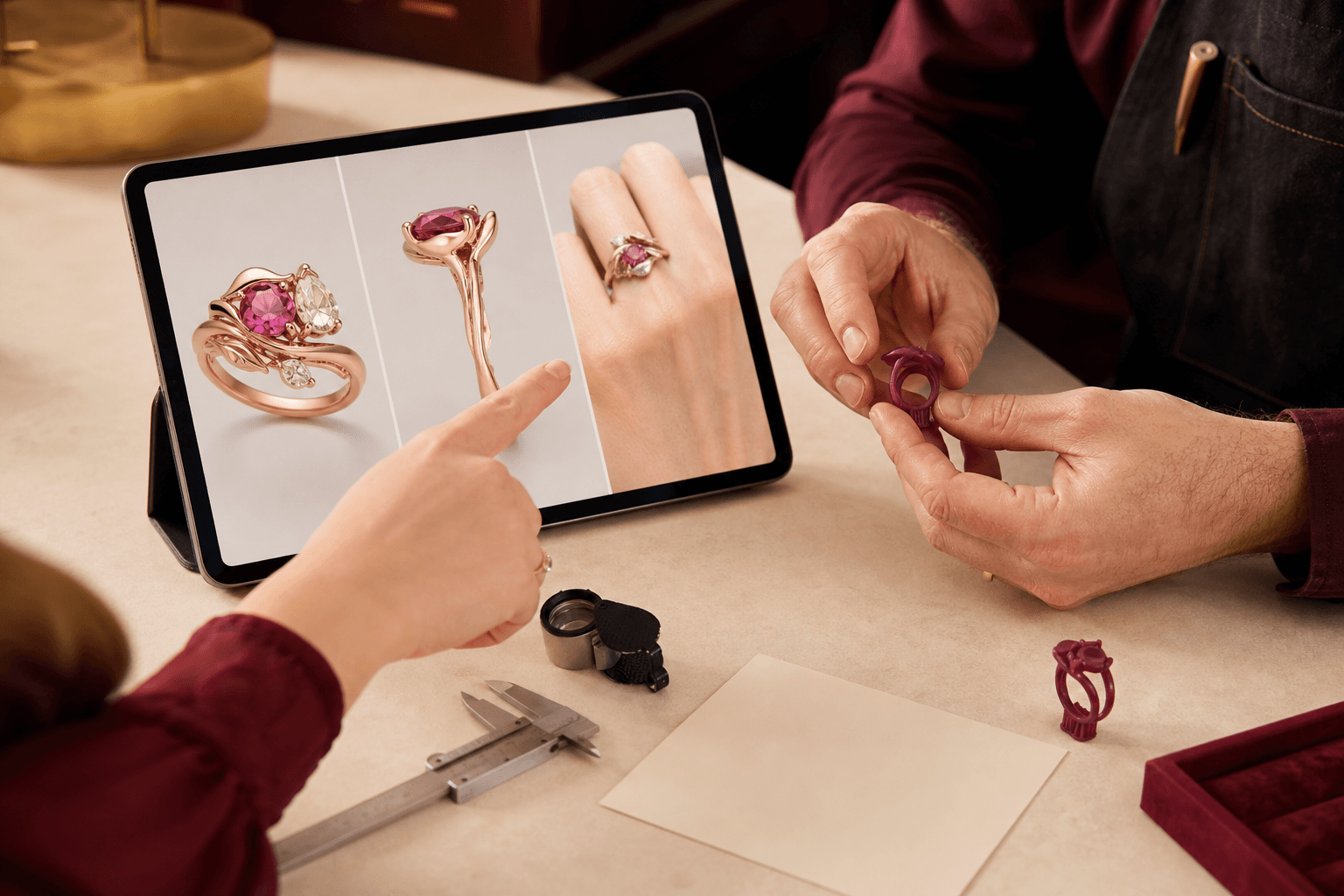
Illustrative person comparing multiple jewelry directions in a digital Atelier while a jeweler reviews a ring
Illustrative scene, not a customer testimonial. Customers shape the visual direction; Leyloon reviews the details, quote, and making path. Here it supports the decisions behind “Start from an idea, image, or stone and generate directions you can compare before requesting a quote.

A visual map of this brief

See what stays known—and what remains open

This route begins with “Direct an engagement-ring design you can see and refine.” The next choices stay grouped, editable, and connected to that same Atelier brief.

  1. Piece to designChoose one piece. The following questions adapt inside Atelier.
  2. Gemstone familyChoose the laboratory-grown gemstone first. The color choices will adapt to that family.
  3. Color directionThese choices follow the gemstone family above. Exact shade still belongs to the stone you review.
  4. Stone shapeChoose the complete outline family you want to start from.

Start with what matters on this page

Choose the stone before its color and setting

Start with the piece and stone family. The later choices should follow that decision, not compete with it.
01 Piece to designChoose one

Choose one piece. The following questions adapt inside Atelier.

02 Gemstone familyChoose one

Choose the laboratory-grown gemstone first. The color choices will adapt to that family.

03 Color direction

These choices follow the gemstone family above. Exact shade still belongs to the stone you review.

One choice comes firstChoose a gemstone family first, then its useful color directions will appear here.
04 Stone shape

Choose the complete outline family you want to start from.

05 Stone size direction

Carat is weight, not a guaranteed face-up dimension. Atelier keeps this editable and lets the exact measurements decide the fit.

What else should Atelier help with?

Add only the parts you want to explore. The page topic is already included.

Stone detailsIncluded from this page

Choose piece to design and gemstone family to continue. “Not sure” is a valid choice.

Published customer proof

Real experiences, kept separate from promises

Only approved purchase-linked reviews appear here. An illustrative scene is never presented as a customer, and one person’s experience is never treated as a promise for another piece.

See what Leyloon customers have shared

Read recent shop reviews on Etsy, then come back when you are ready to shape your own custom jewelry direction.

See Leyloon reviews on Etsy

These reviews reflect individual Leyloon service experiences. Your custom jewelry direction and quote request are reviewed on their own.